Firewall Security Company India Complete Firewall Security Solutions Provider Company in India
How to Protect Your SaaS from Bot Attacks with SafeLine WAF
https://firewalls.firm.in/wp-content/uploads/2026/03/safeline.jpg
Most SaaS teams remember the day their user traffic started growing fast. Few notice the day bots started targeting them.
On paper, everything looks great: more sign-ups, more sessions, more API calls. But in reality, something feels off:
- Sign-ups increase, but users aren’t activating.
- Server costs rise faster than revenue.
- Logs are filled with repeated requests from strange user agents.
If this sounds familiar, it’s not just a sign of popularity. Your app is under constant automated attack, even if no ransom emails have arrived. Your load balancer sees traffic. Your product team sees “growth”. Your database sees pain.
This is where a WAF like SafeLine fits in.
SafeLine is a self-hosted web application firewall (WAF) that sits in front of your app and inspects every HTTP request before it reaches your code.
It does not just look for broken packets or known bad IPs. It watches how traffic behaves: what it sends, how fast, in what patterns, and against which endpoints.
In this article, we’ll show what real attacks look like for a SaaS product, how bots exploit business logic, and how SafeLine can protect your app without adding extra work for your team.
The Attacks SaaS Products Actually See
When people say “web attacks”, many think only about SQL injection or XSS. Those still exist, and SafeLine blocks them with a built‑in Semantic Analysis Engine.
SafeLine’s Semantic Analysis Engine reads HTTP requests like a security engineer. Instead of just hunting keywords, it understands context, decoding payloads, spotting weird field types, and recognizing attack intent across SQL, JS, NoSQL, and modern frameworks. Blocks sophisticated bots and zero-days with 99.45% accuracy and no constant rule tweaks needed.
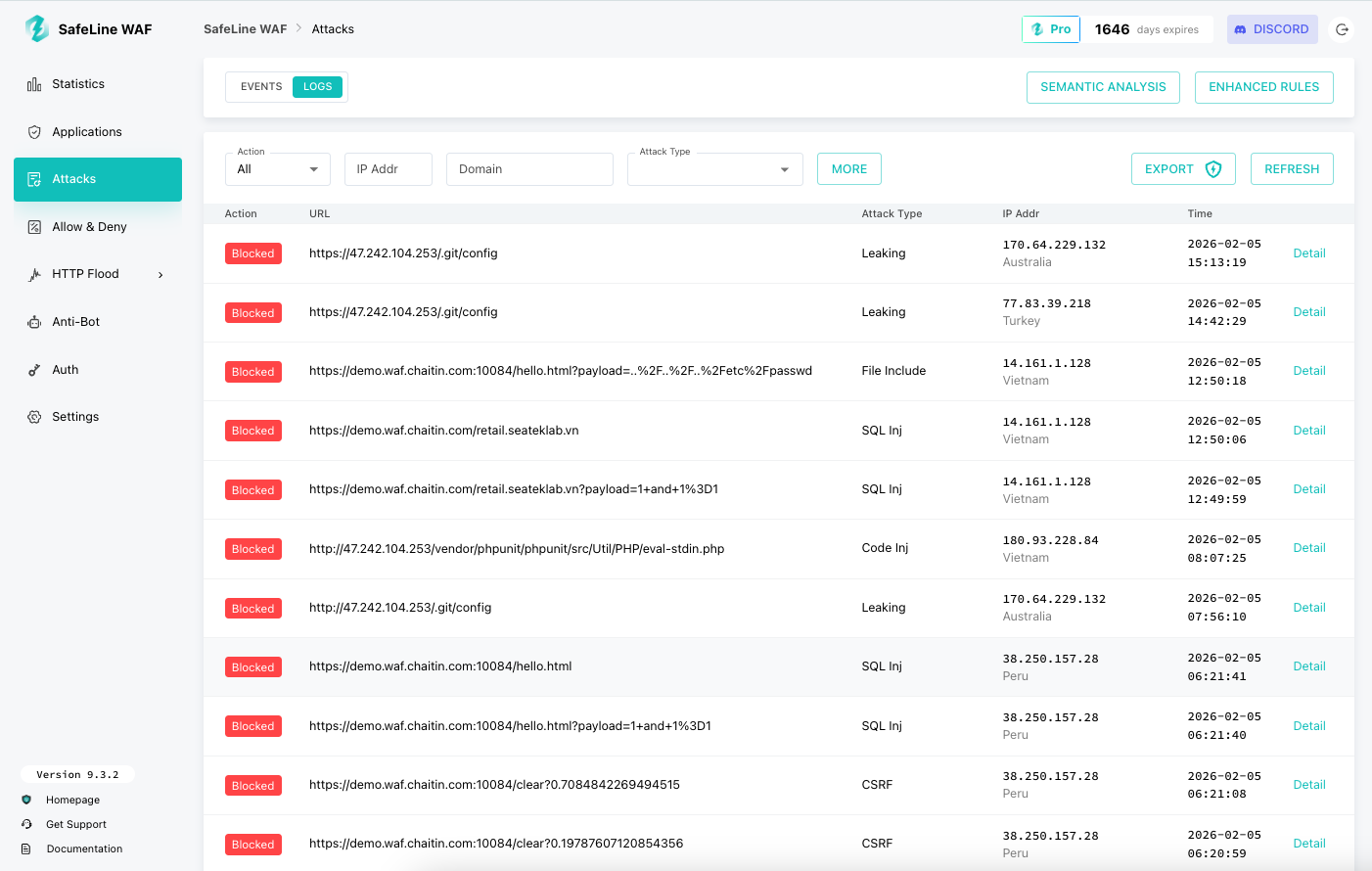 |
| Malicious Requests Blocked by SafeLine |
But for SaaS, the most painful attacks are not always the most “technical”. They are the ones that bend your business rules.
Common examples:
- Fake sign‑ups: Automated sign‑up scripts farm free trials, burn invitation codes, or harvest discount coupons.
- Credential stuffing: Bots try leaked username/password pairs against your login endpoint until something works.
- API scraping: Competitors or generic scrapers walk your API, page by page, copying your content or pricing.
- Abusive automation: One user (or botnet) triggers heavy background jobs, export tasks, or webhook storms that you pay for.
- Bot traffic spikes: Sudden waves of scripted requests hit the same endpoints, not big enough to be a classic DDoS, but enough to slow everything down.
The tricky part is that all these requests look “normal” at the HTTP level.
They are:
- Well‑formed
- Often over HTTPS
- Using your documented API
Why a Self‑Hosted WAF Makes Sense for SaaS
There are many cloud WAF products. They work well for a lot of teams. But SaaS products have some special concerns:
- Data control: You may not want every request and response to flow through another company’s cloud.
- Latency and routing: Extra external hops can matter for global users.
- Debugging: When a cloud WAF blocks something, you often see a vague message, not full context.
SafeLine takes a different path:
- It is self‑hosted and runs as a reverse proxy in front of your app.
- You keep full control over logs and traffic.
- You see exactly why a request was blocked, in your own dashboards.
For SaaS teams, that means you can:
- Meet stricter customer or compliance demands about where data flows.
- Tune rules without opening a support ticket.
- Treat your WAF configuration as part of your normal infrastructure, not a black‑box service.
How SafeLine Sees and Stops Bot Traffic
Bots are not one thing. Some are clumsy scripts; some are almost indistinguishable from real users. SafeLine uses several layers to deal with them.
1. Understanding traffic, not just signatures
SafeLine combines rule‑based checks with semantic analysis of requests.
In practice, that means it looks at:
- Parameters and payloads (for injection attempts, strange encodings, exploit patterns).
- URL structures and access paths (for scanners, crawlers, and exploit kits).
- Frequency and distribution of calls (for login abuse, scraping, and subtle flood attacks).
This is what allows it to:
- Block classic web attacks with a low false positive rate.
- Detect weird patterns that do not match any single “signature” but clearly are not normal user behavior.
2. Anti‑Bot challenges
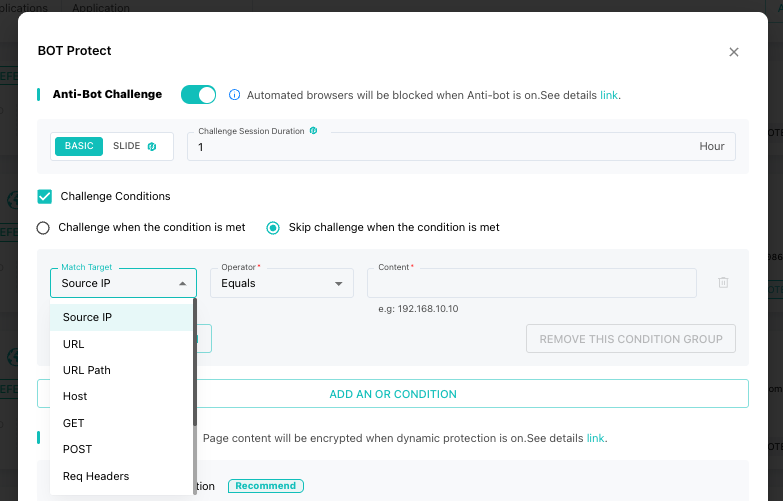
Some bots can only be stopped by forcing them to prove they are not machines. SafeLine includes an Anti‑Bot Challenge feature: when it detects suspicious traffic, it can present a challenge that real browsers handle, but bots fail.
Key points:
- Normal human users barely notice it.
- Basic crawlers, scripts, and abuse tools get blocked or slowed down sharply.
- You decide where to enable it: sign‑up, login, pricing pages, or specific APIs.
3. Rate limiting as a safety net
For SaaS, “too much of a good thing” is a real problem. One overly eager integration, one faulty script, or one attack can exhaust resources.
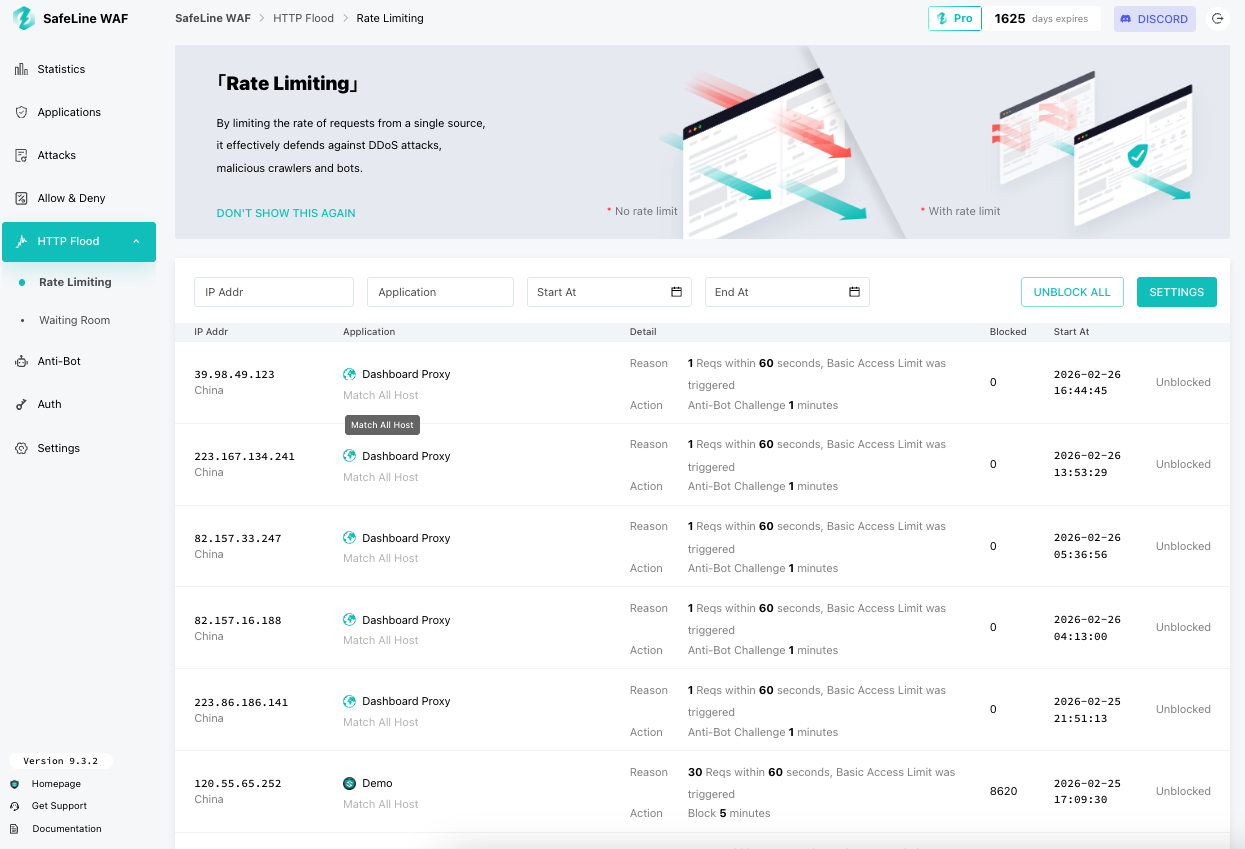
SafeLine’s rate limiting lets you:
- Limit how many requests an IP or token can make to specific endpoints per second, minute, or hour.
- Protect login, sign‑up, and expensive APIs from brute force and floods.
- Keep your application stable even under abnormal spikes.
This is essential for:
- Protecting free tiers from abuse.
- Keeping “unlimited API calls” from turning into “unlimited cloud bills”.
4. Identity and access controls
Some parts of your SaaS should never be public:
- Internal dashboards
- Early beta features
- Region‑specific admin tools
SafeLine provides an authentication challenge feature. When enabled, visitors must enter a password you set before they can continue.
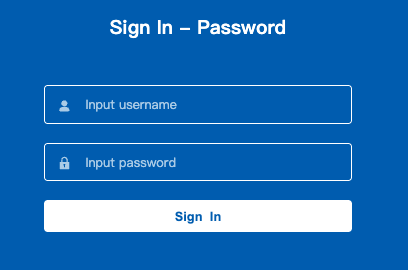
This is a simple way to:
- Hide internal or staging environments from scanners and bots.
- Reduce the blast radius of misconfigured or forgotten routes.
A Simple Story: A SaaS Team vs. Bot Abuse
There is a small B2B SaaS product:
- Less than 10 people on the team.
- Nginx fronting a set of REST APIs.
- Free trials, public sign‑up, and open API docs.
At first, numbers look good. Then:
- Fake sign‑ups climb to 150–200 per day.
- CPU peaks hit 70% because of login attempts and abuse traffic.
- The database grows faster than paying users.
When they add SafeLine:
- They deploy it behind Nginx, as a self‑hosted WAF.
- They enable bot detection, rate limits on sign‑up and login, and basic abuse rules for new accounts.
Within one week:
- Fake registrations fall below 10 per day.
- CPU stabilizes around 40%.
- Conversion starts to recover, because real users face fewer obstacles.
The interesting part is not the numbers.
It is what the team did not have to do:
- They did not design complex in‑app throttling.
- They did not maintain custom bot‑blocking code.
- They did not argue for months about whether they could send traffic to an external inspection service.
SafeLine quietly took the first wave of abuse, and the product team focused again on features and customers.
How SafeLine Fits into a SaaS Stack
From an architecture point of view, SafeLine behaves like a reverse proxy:
- External traffic → SafeLine → your Nginx / app servers.
This makes it easier to adopt without rewriting your product.
You can:
- Put SafeLine in front of your main web app and API gateway.
- Slowly route more domains and services through it as you gain confidence.
The SafeLine dashboard then becomes your “security console”:
- You see attack logs: which IP tried what, which rule triggered, what payload was blocked.
- You see trends: increased scans, new kinds of payloads, or growing bot patterns.
- You can adjust rules and protections in a few clicks.
Deployment and Ease of Use
SafeLine WAF is designed for SaaS operators who may not have dedicated security teams.
A deployment typically takes less than 10 minutes. Below is the one-click deployment command:
bash -c “$(curl -fsSLk https://waf.chaitin.com/release/latest/manager.sh)” — –en
See the official documentation for detailed instructions: https://docs.waf.chaitin.com/en/GetStarted/Deploy
More importantly, SafeLine still provides a free edition for all users worldwide. So once you install it, it’s ready to use right out of the box—no extra costs at all. Only when you need advanced features is a paid license required.
After installation, you’ll see a clean interface with a super simple and intuitive configuration experience. Protect your first app by following this official tutorial: https://docs.waf.chaitin.com/en/GetStarted/AddApplication.
Once configured, the WAF operates autonomously while providing detailed visibility into threats and mitigation actions.
Looking Ahead: Continuous Security
The threat landscape is constantly evolving. Bots are becoming smarter, attacks are increasingly targeted, and SaaS platforms continue to grow in complexity. To stay ahead, companies must:
- Monitor traffic behavior continuously
- Adapt rate-limiting and bot detection rules dynamically
- Regularly audit logs for unusual activity
- Ensure sensitive endpoints have layered protections
SafeLine’s approach aligns perfectly with these needs, providing a flexible, data-driven security layer that grows with your SaaS business.
For those interested in exploring the technology firsthand, visit the SafeLine GitHub Repository or experience the Live Demo. Or you can just go straight to install it and try it for free forever!